Traffic...traffic...traffic. In suburban spaces there is no escape from the traffic, so it’s time to figure out how live with it. One of best things about the information age is the amount of data at our disposal. Try to forget about big brother knowing too much about you and glory in the fact that we have real time traffic information that can be put to use. I’m going to evaluate 3 traffic apps and see how they benefit your commute.
The Contenders
 |
 |
 |
The Criteria
- Ease of Configuration - Based on single work site location, how easy is the app to configure
- Richness of Features - How much does the app offer in terms of functionality
- Pre Departure Info - How well does the app alerted me about traffic conditions before I get into my car
- Easy of Departure - How easy is it to get rolling
- En Route Info - How well does the app indicate the current situation and give alternatives
- Hands Free Safety - How distracting is this app
Ease of Configuration
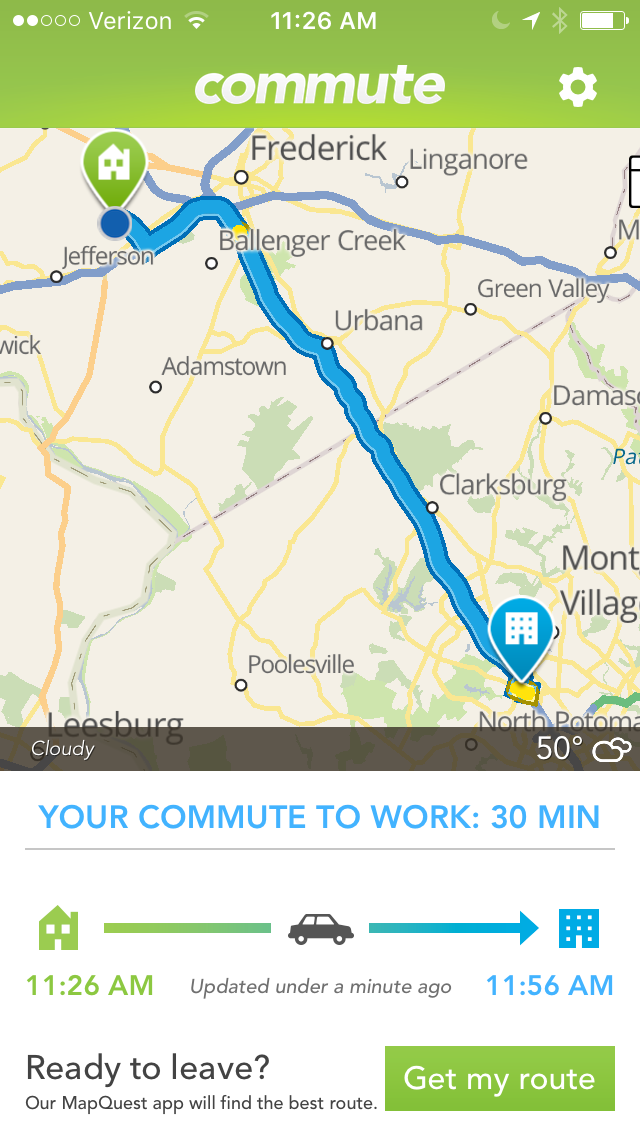
 Commute is the simplest app to configure: Just type in address for work and home and the times that you usually depart for work and leave for home.
Waze is a more complicated app altogether and does require creation of user id, input of work and home locations and then you can get crazy with many other options if you so desire.
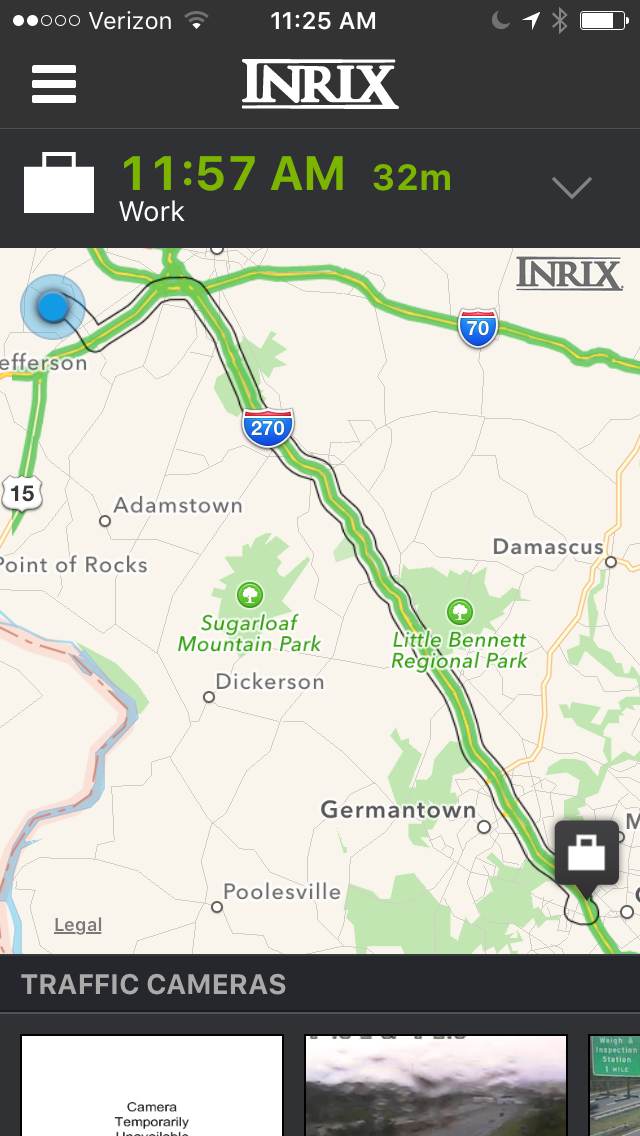
INRIX is interesting because it requires the home and work locations as well, but then you can pre-program different routes and give them names. The route planning takes a little effort because you to place waypoints and INRIX fills in the route. You must carefully pick the waypoints if you want to travel specific roads on your alternative routes. Alternatives routes can be very nice as you’ll see later.
Richness of Features
 Waze is number one in features because it includes such incredible detail in terms of real time road conditions, traffic cameras, location of police and the capability to post alerts as you drive (more on that later). Waze doesn’t use the overview route map, which in my opinion is a super tool to know the condition of the whole route.
INRIX has some great features with respect to commute time forecasting and forecasting alternative routes.
Commute is dirt simple. It gives you a forecast of your commute and tracks progress of your drive with updated arrival time every minute or so.
Pre Departure Info
 INRIX provides a notification of your commute time at a time you specify. So you can know before you go. I get an alert at 30 minutes before I depart for work.
Commute can provide you with a quick route information if you open the app and wait a couple seconds for the map to update and provide the commute forecast.
Waze does not provide any pre departure info and you must touch through a few menus to get the commute forecast … Waze is my least favorite for getting pre departure info.
Ease of Departure
 After you get in your car you want a fast departure.
When you launch the Commute the app immediately comes up with your route forecast and begins tracking your progress and updates as you go. Only 1 single action to get everything.
INRIX usually requires that you select your destination before it provides a forecast.
Waze also requires that you select a location and it requires the highest number of interactions with your mobile device among the three apps.
En Route Info
 Waze takes the award for most information provided during your route. You get voice driving (if you want), voice alerts for road hazards, real-time updates on traffic changes, real-time alternatives routes with driving directions.
INRIX provides a great tabbed view of alternative routes right at the top of the application. And each route has forecast arrival time so you can quickly see which one might be the best.
Commute basically tells you one route and sometimes indicates an alternative. Unfortunately the alternative route is sometime indistinguishable from the main route due to the limited size of the screen on the mobile phone. And in the event the alternative route is clearly visible, it’s not obvious where you should turn to get on the new route because all navigation cues are provided on the route map.
Hands Free Safety
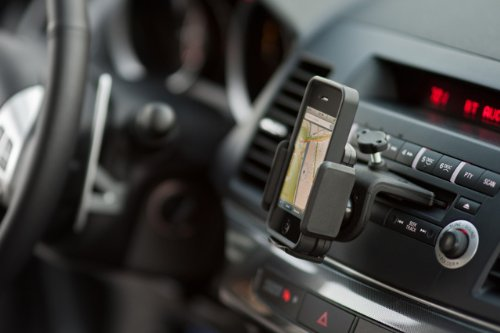 Commute is the safest app to use in my opinion because it does not offer options that require the user to interact.
INRIX offers the on road options of checking a new route by selected a good sized tab at the top of the app.
Waze is crazy flexibly and I’ve caught myself coming up close on the person in front of me because I was distracted while reporting heavy traffic. The real time info of waze does amaze the commuter, however the actual number of interactions with a mobile device is very high. To create a traffic alert in Waze requires 4 interactions with the app. That is at minimum probably 2 seconds and possibly up to 4 seconds of driver distraction. If you are travelling in traffic and someone stops in front of you while you were entering an alert, you just ate up all your margin between your and the car in front of you. Additionally, if you want to confirm a road hazard, it’s one interaction, but still a bit of a distraction. Entering and confirming traffic notifications are optional of course, so safety is really up to the discretion of the driver. Note that the value of the app and service does necessitate a high engagement with the community. Update: I will be trying the voice commands aspect of Waze over the next few commutes to see how that impacts safety.
 |

|
|
Summary
If you want it simple and informative Commute is likely the app for you.
If you want to analyze pre-recorded routes for your commute and you want pre-flight information, then INRIX could be a good solution
If you are a commute road warrior and you want to try new routes on the fly, Waze will suit you fine.
Below is a summary of the criteria and rank for the apps. Experiment and see what works for you. I’m currently using all three of them and comparing their features side by side.
Ease of Configuration
|
Richness of Features
|
Pre Departure Info
|
Ease of Departure
|
En Route Info
|
Hands Free Safety
| |
Commute
|
1
|
3
|
2
|
1
|
3
|
1
|
Waze
|
2
|
1
|
3
|
3
|
1
|
3
|
INRIX
|
3
|
2
|
1
|
2
|
2
|
2
|
If you have any questions or thoughts on these apps, please send me an e-mail.


